User Markup in Freightview
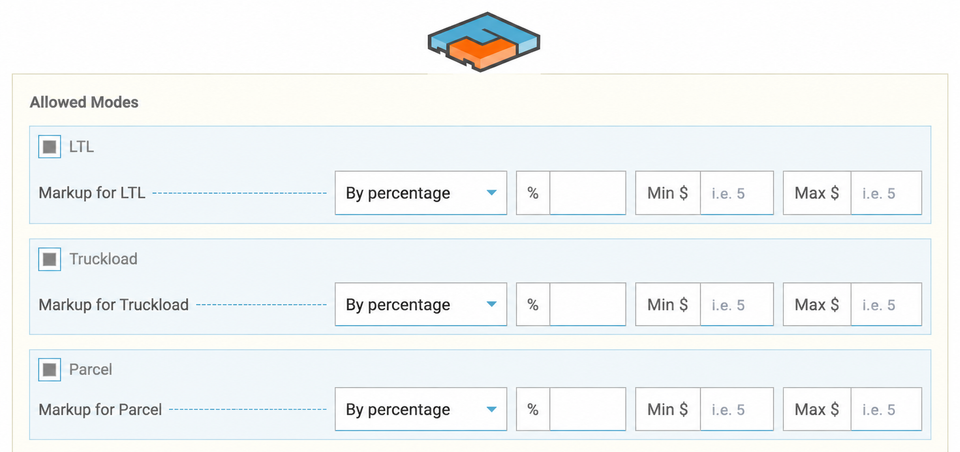
Account Admins have the ability to customize a users' experience by including Markup with your quoted & booked orders. Here we'll walk through the set up process, options, and visibility offered with this feature.
Reasons to Mark up Your Freight / Packages
- Help cover current operational costs.
- Allow for value-added services.
- Mitigate risks such as claims or returns.
- Increase Profit.
Adding Markup
Account admins can access this option for Company Users.

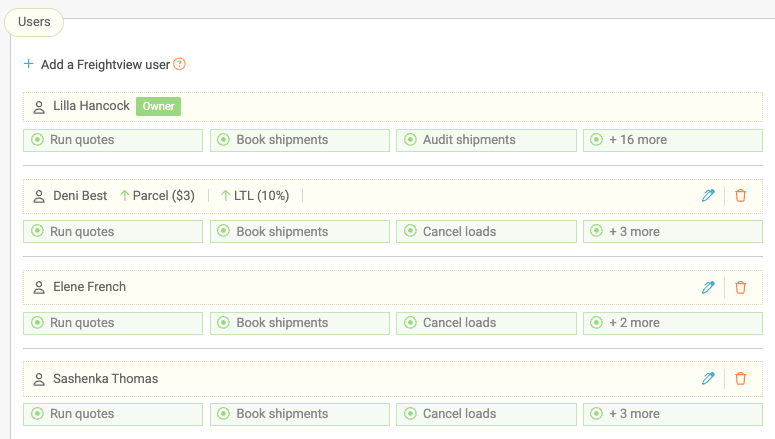
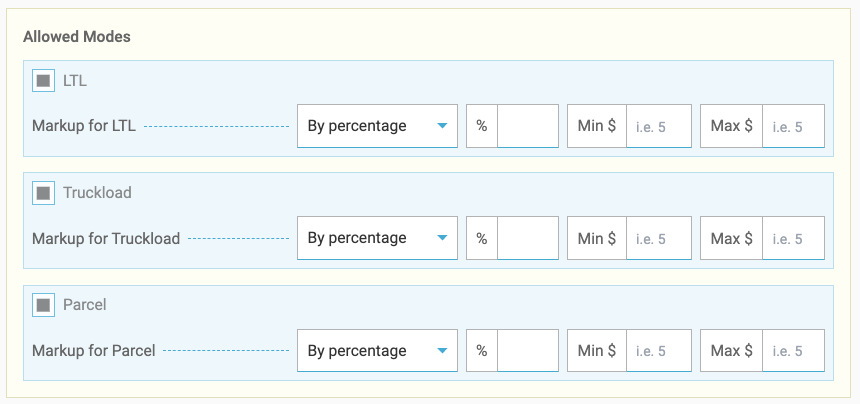
Next, click the blue edit pen on the right to open a slider and view options. Here, you can designate first by mode, then by percentage or dollar amount. Min and Max segments are optional.
Minimum: The lowest amount we will apply for Markup.
Maximum: The highest amount we will apply for Markup.
⏱️ We currently don't allow Account Owners to add markup to their own profile, so there is a true user with visibility to actual costs at all times.
Reporting
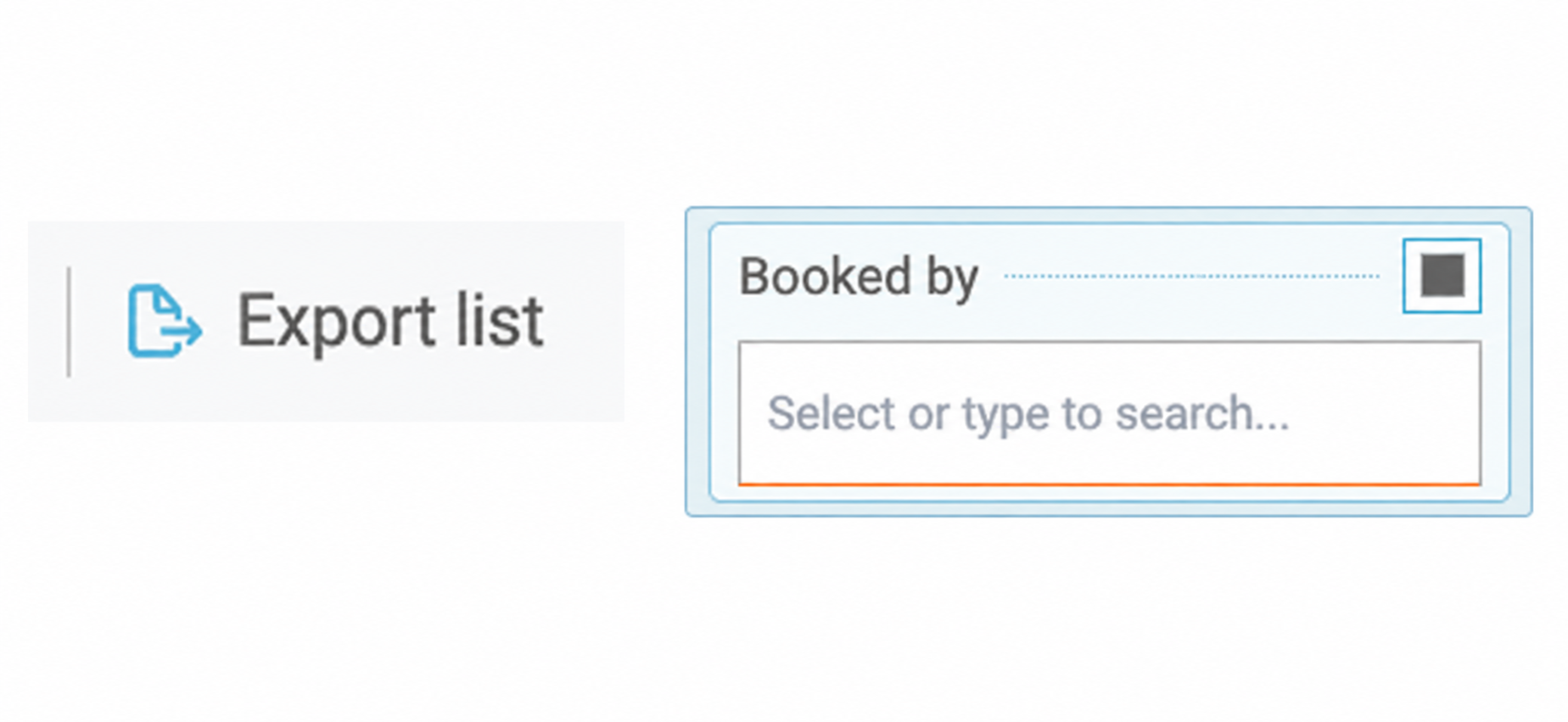
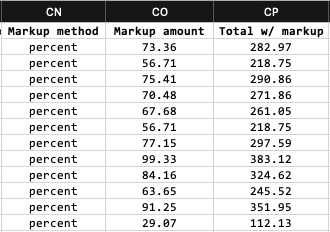
To reconcile your users mark up data - head over to your Shipment list, create a custom filter -> Booked By, then request an export.
Markup for Vendors
You can include this with Vendors as well, click to learn more Here.
Where can users see their Markup?
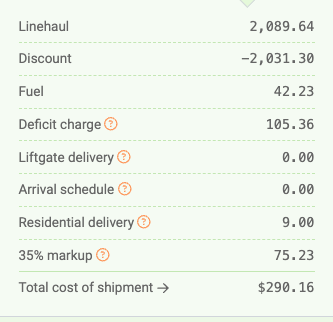
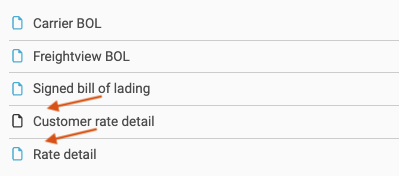
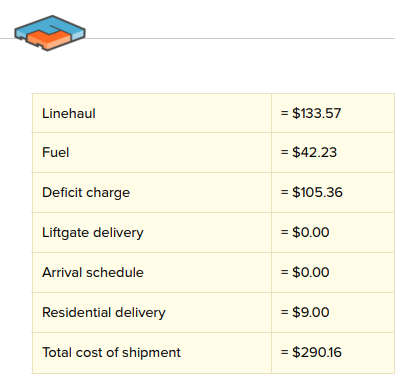
You can spot your markup in the rate breakdown on the Shipment Details page. Just click View other quotes. If you're looking at PDFs, the Rate detail document lists the true cost, Customer rate detail, and the linehaul charge. Analytics tab in which a CSV file will deliver to your Inbox.
Rate Breakdown
Documents
Rate Detail - Internal
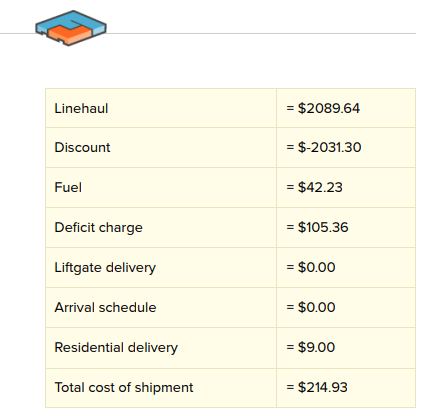
Customer Rate Detail - External
Export Data - CSV
Contact our Support Team for any questions or feedback!